安装环境

一般来说涉及到simulator的系统环境都是ubuntu 18/20/22 LTS版本配上对应年代的CUDA驱动就可以。但是这次安装真的太破防了,一个是云服务器丝滑安装好headless版本之后检测不到CUDA device( issue ),查了一下应该是build docker的时候必须选好一些选项才行,这导致–headless with cuda基本是用不了,因为我本身也有一台ubuntu22.04的双系统笔记本,虽然显存低了一点只有4G,但是不用来训练模型跑个habitat是没用问题的。但是在本地就没办法solving conda environment(这一点在后面我换了mac之后也遇到了但是没有花费我多少时间),重装conda并且尝试build from source之后依然无果,我还是决定用mac试一试,因为花时间在docker/虚拟机/主机网络上根本就是浪费时间,所以在换成mac后,我执行以下命令:

1
2
3
4
5
6
7
8
9
#conda create -n habitat python=3.9 cmake=3.14.0
#solve environment无法同时handle python版本和cmake版本
#所以只要保证python版本,cmake安装最新的就ok
conda create -n habitat python=3.9
conda activate habitat
#pip install camke
conda install cmake
#如果只是纯验证不训练,是可以安装withbullet的
conda install habitat-sim withbullet -c conda-forge -c aihabitat

执行加载场景代码

1
python examples/viewer.py --scene /path/to/data/scene_datasets/habitat-test-scenes/skokloster-castle.glb

终端输出

1
2
3
4
5
6
7
8
9
10
11
12
13
14
15
16
17
18
19
20
21
22
23
24
25
26
27
28
29
30
31
(habitat) ➜  habitat-sim git:(main) ✗ python examples/viewer.py --scene ../versioned_data/habitat_test_scenes/skokloster-castle.glb  
Cocoa: Failed to find service port for display
Renderer: Apple M3 by Apple
OpenGL version: 4.1 Metal - 89.4
Using optional features:
GL_ARB_vertex_array_object
GL_ARB_ES2_compatibility
GL_ARB_separate_shader_objects
GL_ARB_texture_storage
GL_EXT_texture_filter_anisotropic
GL_EXT_debug_label
GL_EXT_debug_marker
Using driver workarounds:
no-layout-qualifiers-on-old-glsl
apple-buffer-texture-unbind-on-buffer-modify
PluginManager::Manager: duplicate static plugin StbImageImporter, ignoring
PluginManager::Manager: duplicate static plugin GltfImporter, ignoring
PluginManager::Manager: duplicate static plugin BasisImporter, ignoring
PluginManager::Manager: duplicate static plugin AssimpImporter, ignoring
PluginManager::Manager: duplicate static plugin AnySceneImporter, ignoring
PluginManager::Manager: duplicate static plugin AnyImageImporter, ignoring
[05:21:13:747476]:[Warning]:[Metadata] SceneDatasetAttributes.cpp(107)::addNewSceneInstanceToDataset : Dataset : 'default' : Lighting Layout Attributes 'no_lights' specified in Scene Attributes but does not exist in dataset, so creating default.
[05:21:13:748094]:[Warning]:[Scene] SemanticScene.h(331)::checkFileExists : ::loadSemanticSceneDescriptor: File `../versioned_data/habitat_test_scenes/skokloster-castle.scn` does not exist. Aborting load.
[05:21:13:748107]:[Warning]:[Scene] SemanticScene.cpp(123)::loadSemanticSceneDescriptor : SSD File Naming Issue! Neither SemanticAttributes-provided name : `../versioned_data/habitat_test_scenes/skokloster-castle.scn` nor constructed filename : `../versioned_data/habitat_test_scenes/info_semantic.json` exist on disk.
[05:21:13:748113]:[Error]:[Scene] SemanticScene.cpp(139)::loadSemanticSceneDescriptor : SSD Load Failure! File with SemanticAttributes-provided name `../versioned_data/habitat_test_scenes/skokloster-castle.scn` exists but failed to load.
[05:21:15:135696]:[Warning]:[Sim] Simulator.cpp(595)::instanceStageForSceneAttributes : The active scene does not contain semantic annotations : activeSemanticSceneID_ = 0
[Sim]
=====================================================
Welcome to the Habitat-sim Python Viewer application!
=====================================================

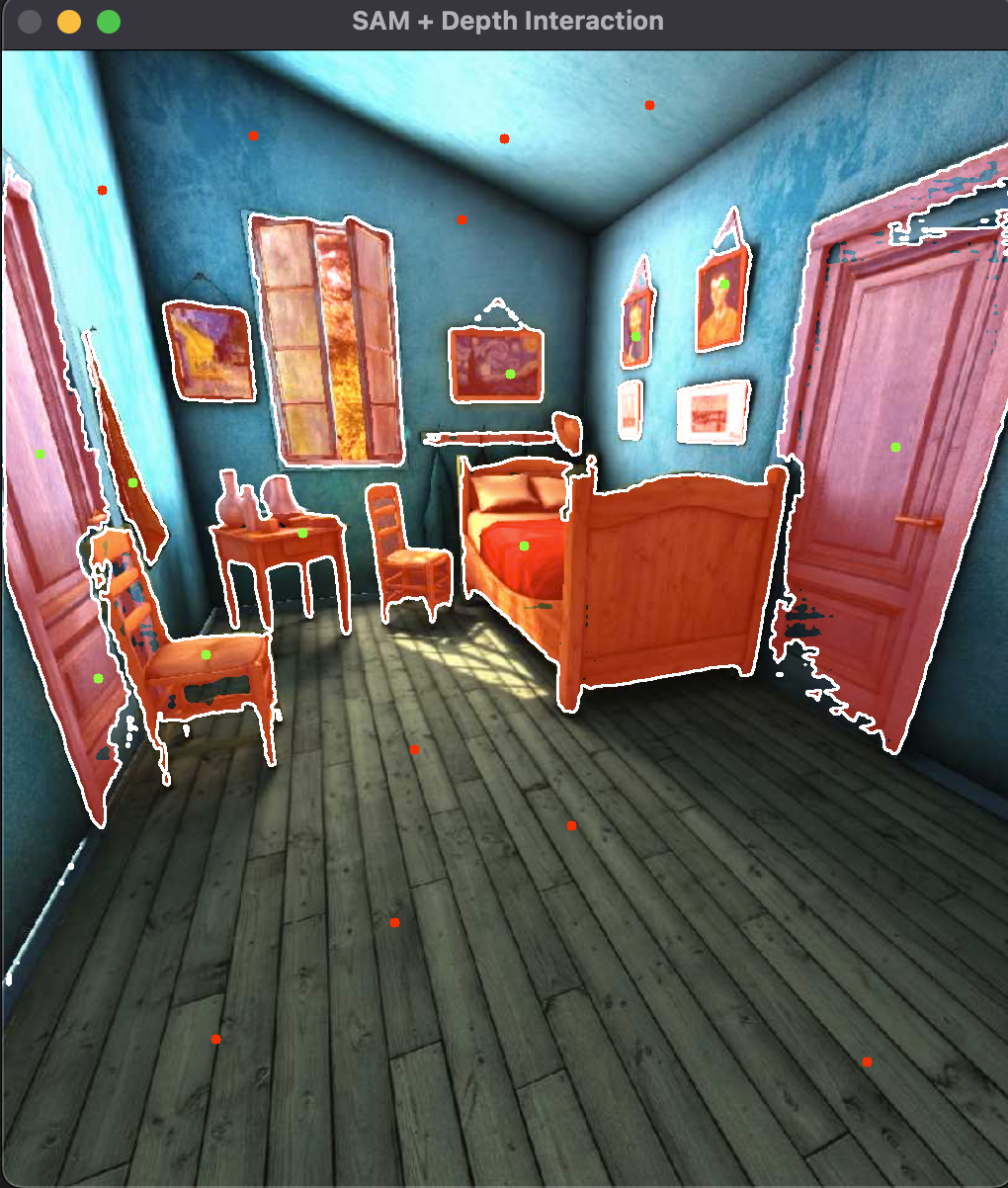
就可以看到相关的场景模型加载出来并且我们可以在viewer中通过键盘进行交互控制

示例代码

整个过程可以说是非常丝滑,这提醒了我之后研究生复现论文做实验有一台性能网络都过得去的主机是多么重要。我们应该把更多的时间花在学习代码,学习问题,而不是花太多时间陪环境(当然配环境这种dirty work也是必修课非常重要,我们也需要不时的make hands dirty)。
所以就开始了教程,首先habitat-sim最新版是0.3.x,相比于示例代码中的0.2.5的话API有所变化,但就示例代码中我们遇到的需要修改的主要是habitat_random.py中有关{sene/region.aabb.sizes}size,这涉及到magnum中的Rande3D属性

1
2
3
4
5
6
7
8
9
10
11
12
13
14
15
16
17
18
19
def print_scene_recur(scene, limit_output=10):

print(f"House has {len(scene.levels)} levels, {len(scene.regions)} regions and {len(scene.objects)} objects")

print(f"House center:{scene.aabb.center} dims:{scene.aabb.size}")


count = 0

for level in scene.levels:
print(f"Level id:{level.id}, center:{level.aabb.center}," f" dims:{level.aabb.size}")
for region in level.regions:
print(f"Region id:{region.id}, category:{region.category.name()}," f" center:{region.aabb.center}, dims:{region.aabb.size}")
for obj in region.objects:
print(f"Object id:{obj.id}, category:{obj.category.name()}," f" center:{obj.aabb.center}, dims:{obj.aabb.size}")
count += 1
if count >= limit_output:
return None

格式化LLM输出直接与环境交互

整体跑下来感觉跟前几天我看的论文里面的SmartLLM框架类似,都是从env中将物体的运动规划高度抽象成多阶段的原子化自然语言描述,算是为大模型输出的规范化文本(比如JSON)提供一个规划结果,所以我们就只用关注到比较high-level的语义导航上面了。
我们可以先看一个例子,看看habitat具体是怎么抽象agent的action

1
2
3
4
5
6
7
8
9
10
11
12
13
# get action space from agent config
action_names = list(cfg.agents[sim_settings["default_agent"]].action_space.keys())

print("Discrete action space: ", action_names)
def navigateAndSee(action=""):
if action in action_names:
observations = sim.step(action)
print("action: ", action)
if display:
display_sample(observations["color_sensor"])

action = "turn_right"
navigateAndSee(action)

turn_right
observation_0
turn_right
observation_1
move_forward
observation_2
turn_left
observation_3
甚至说habitat直接接口都是string输出,都不需要你去做str->action token的mapping

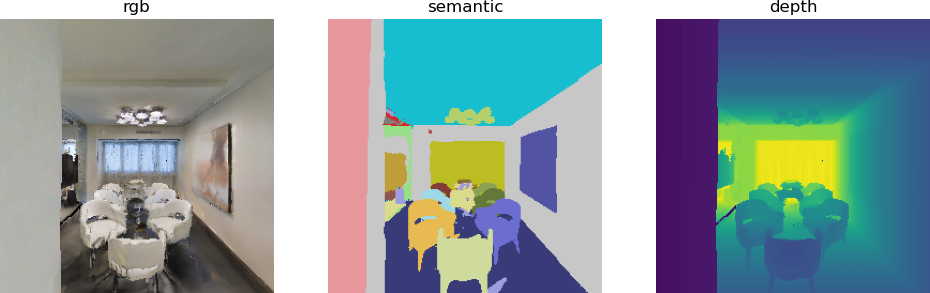
多传感器

因为单靠RGB相机或者单靠agent的global_xy和target_xy对于语义导航是不够的,对于一个大参数模型来说,信息维度太小是不好做语义视觉层跟行为层的对齐的,这也是为什么大家都诟病VLA过拟合的原因(当然VLA数据量上来后能不能不过拟合涌现来学到真正的embodied intelligence这也是个迷)。所以很直接的想法有几个方面:

  • 在视觉层增加数据多样性,比如增加深度图,segment图,点云图,包括做一些数据增强等等
  • 优化语义层的输出,比如细化动作指令,增加思维链,调prompt分层/分节点输出指令
  • 强化学习/模仿学习来增加一些密集奖励(在训练时可以有一些可评分的特权信息),让agent更像人/效果更好/跑分更高
    具体怎么做的已经有什么问题(比如Multi Agent Nav,Long Horizon Task)可以自己找一些paper看看了解
    我们这里主要顺着datawhale教程看看在habitat中的视觉层面几种扩充数据的方法
    1
    2
    3
    4
    5
    6
    7
    8
    9
    10
    11
    12
    13
    14
    15
    16
    17
    18
    19
    20
    21
    22
    23
    24
    25
    26
    27
    28
    29
    # Note: all sensors must have the same resolution
    sensors = {
    "color_sensor": {
    "sensor_type": habitat_sim.SensorType.COLOR,
    "resolution": [settings["height"], settings["width"]],
    "position": [0.0, settings["sensor_height"], 0.0],
    },
    "depth_sensor": {
    "sensor_type": habitat_sim.SensorType.DEPTH,
    "resolution": [settings["height"], settings["width"]],
    "position": [0.0, settings["sensor_height"], 0.0],
    },
    "semantic_sensor": {
    "sensor_type": habitat_sim.SensorType.SEMANTIC,
    "resolution": [settings["height"], settings["width"]],
    "position": [0.0, settings["sensor_height"], 0.0],
    },
    }

    sensor_specs = []
    for sensor_uuid, sensor_params in sensors.items():
    if settings[sensor_uuid]:
    sensor_spec = habitat_sim.CameraSensorSpec()
    sensor_spec.uuid = sensor_uuid
    sensor_spec.sensor_type = sensor_params["sensor_type"]
    sensor_spec.resolution = sensor_params["resolution"]
    sensor_spec.position = sensor_params["position"]

    sensor_specs.append(sensor_spec)
    配置好对应的observation
    1
    2
    3
    4
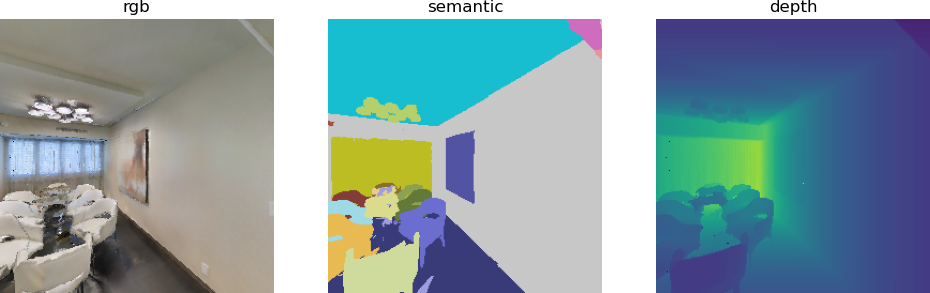
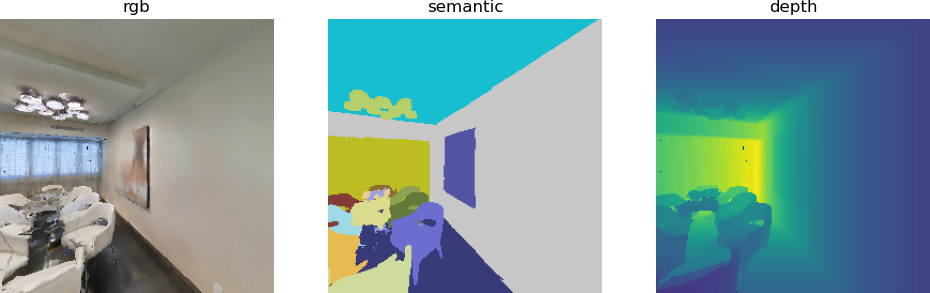
    observations = sim.step(action)
    rgb = observations["color_sensor"]
    semantic = observations["semantic_sensor"]
    depth = observations["depth_sensor"]
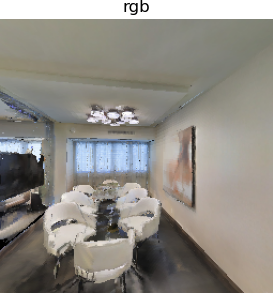
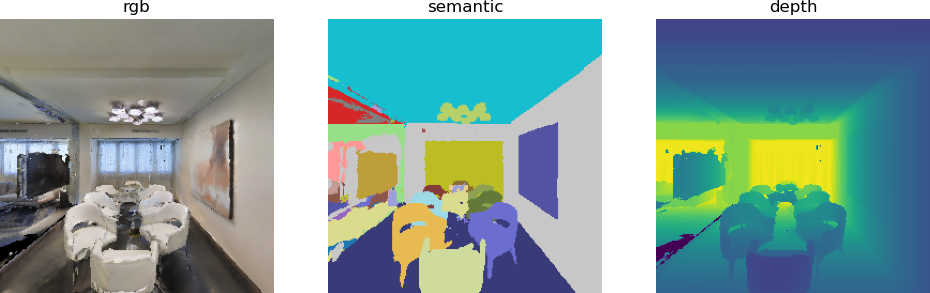
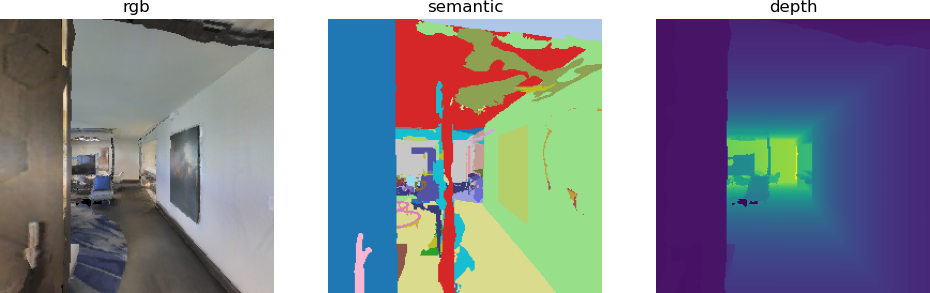
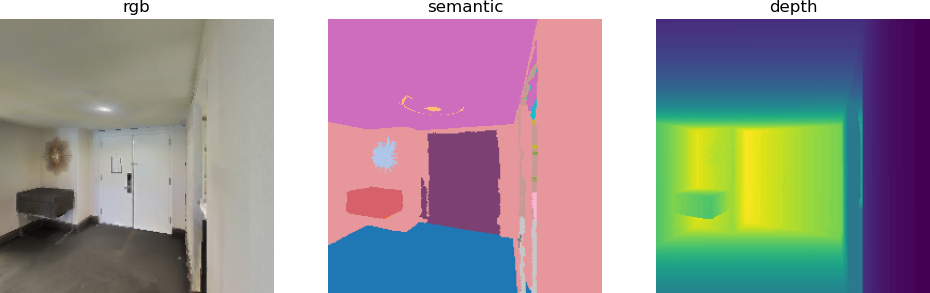
    可以处理输出对应的observation结果,对应刚刚上面的四个timestep
    observation_all_0
    observation_all_1
    observation_all_2
    observation_all_3
    这里面semantic map需要额外配置文件加载
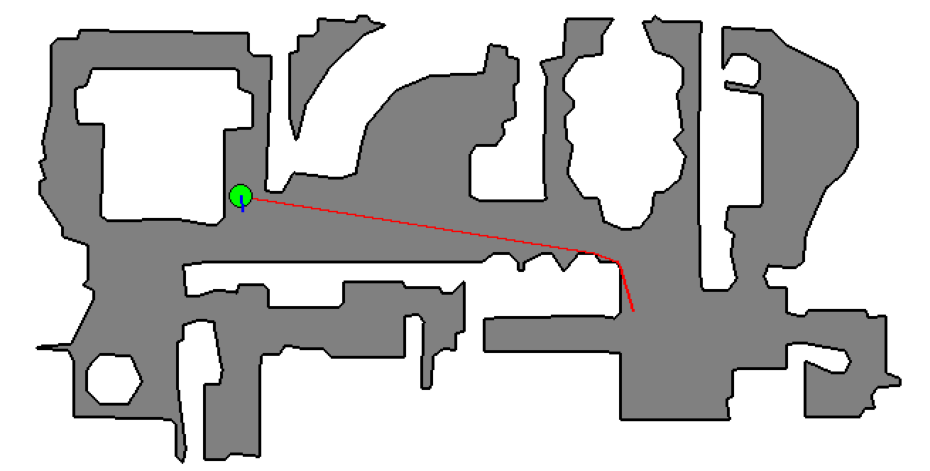
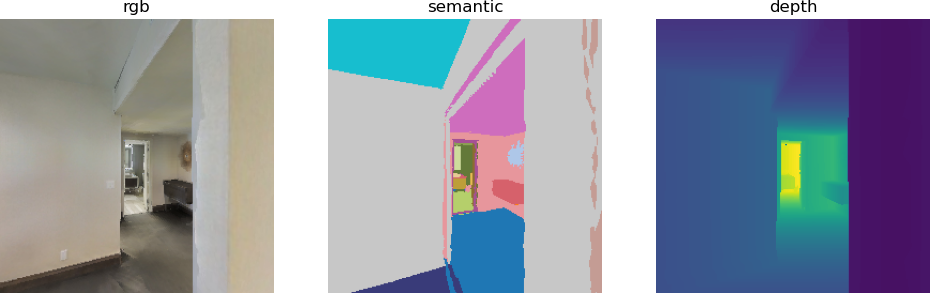
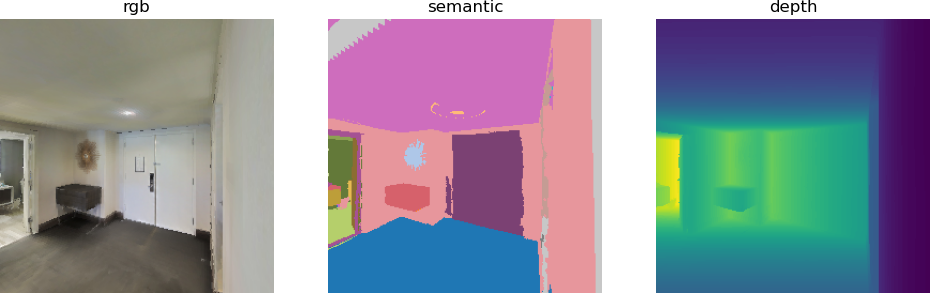
    同时habitat也提供了从任务路径角度的自动规划和路径输出
    path
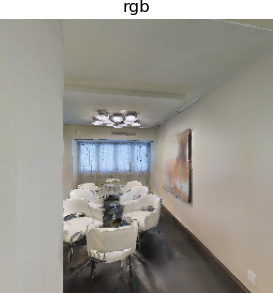
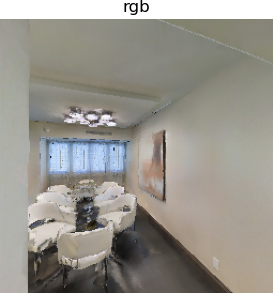
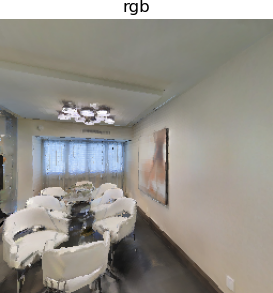
    对应的timestep observation为
    pathfinding_1
    pathfinding_2
    pathfinding_3
    pathfinding_4
    了解habitat的API跟framework以及整个simulator的动机后我们就可以训练微调一些语义导航跟训练一些RL算法了,但是由于这里设备不太允许所以就暂时不去做了,总的来说对于VLN入门这个项目还是很值得去尝试的,相关的work跟paper也有不少可以复现和参考